How to Use a 6-Way Multiport Valve on Your Sand Filter
The multiport valve is the control center of your sand filter, handling all water flow direction changes. Many new pool owners are unsure what each valve setting does, and incorrect operation can reduce filtration performance or damage valve seals.Bilanda sand filters come standard with heavy-duty ABS 6-way multiport valves, with a single lever to switch between all modes for simple, reliable operation. Below is a full breakdown of each setting and when to use it:
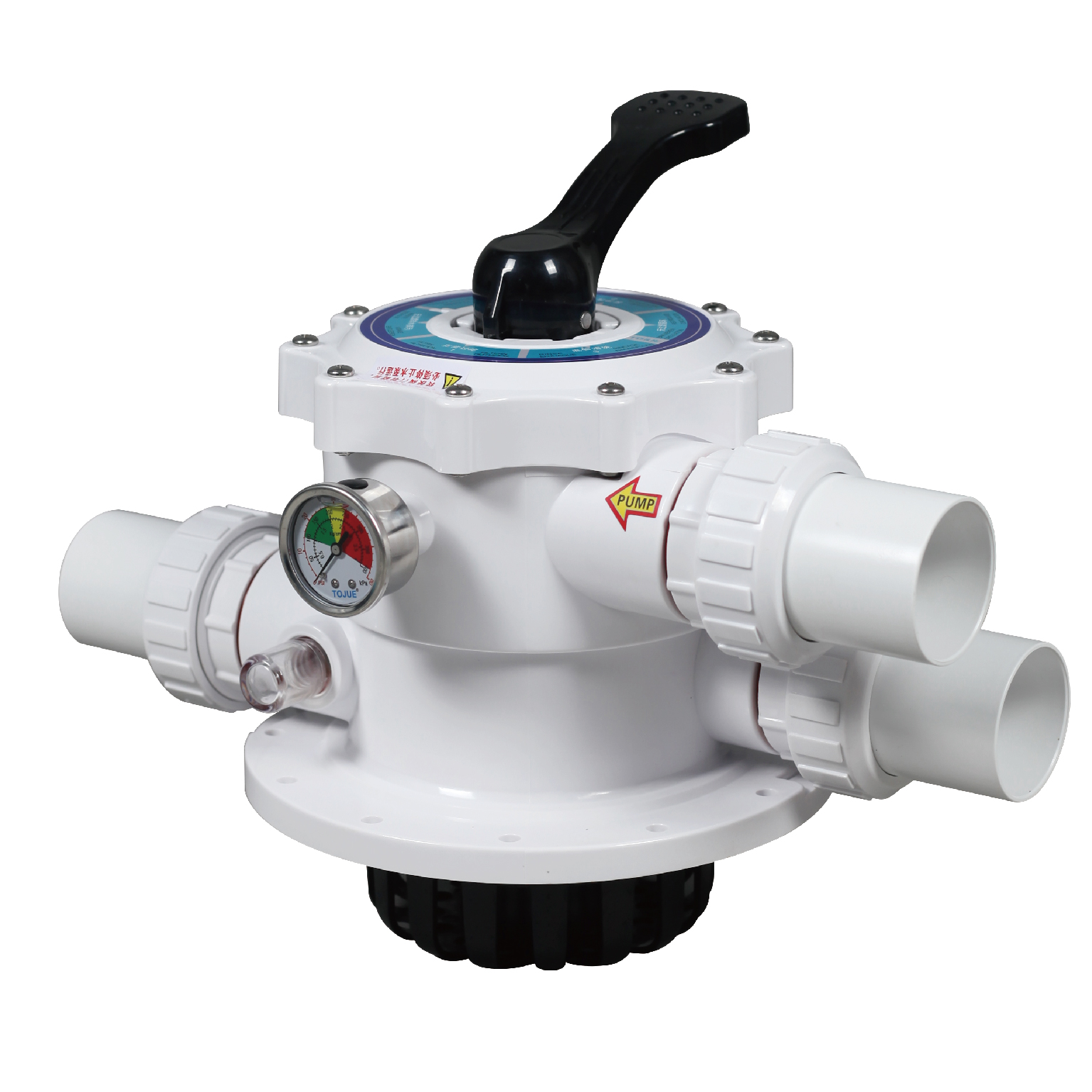
1. FILTER (Normal Filtration)
This is the default, most commonly used setting, running 90% of the time.In this mode, pump water flows into the filter tank down through the sand bed, where dirt, debris and oils are trapped by the silica sand. Clean filtered water then returns to the pool for normal circulation. Use this setting for everyday pool operation.
2. BACKWASH
When dirt builds up in the sand bed, pressure rises on the gauge and flow rate drops, you will need to backwash to clean the media.How to use: Turn off the pump first, move the valve to BACKWASH, then turn the pump back on. Water flows up through the sand bed, lifting and flushing trapped dirt out of the waste line. Run backwash for 2-3 minutes until the water in the sight glass runs clear.
3. RINSE
Always run a rinse cycle immediately after backwashing, before returning to normal filtration.How to use: Turn off the pump, switch to RINSE, then run the pump for around 1 minute. This sends water forward through the filter to flush any remaining dirty water from the valve and pipes out to waste, preventing cloudy water from entering your pool after backwash.
4. WASTE
This setting bypasses the filter entirely, sending pump water straight to the waste/drain line.Use this to lower pool water level after heavy rain, vacuum heavy debris directly to drain, or drain old water when adding fresh water – it bypasses the sand to avoid clogging the filter with heavy sediment.
5. RECIRCULATE
This setting also bypasses the filter, returning pump water directly to the pool without going through the sand.This is a temporary setting used when adding chemicals that need fast mixing, or during filter service/repair to keep water circulating without running it through the media. It is not used for regular operation.
6. CLOSED
This setting shuts off all water flow through the valve, stopping water from moving between the pump, filter and pool.Use this when servicing the pump strainer, repairing plumbing, or winterizing the filter. Never run the pump for extended periods on the CLOSED setting, as this can damage the pump from built-up pressure.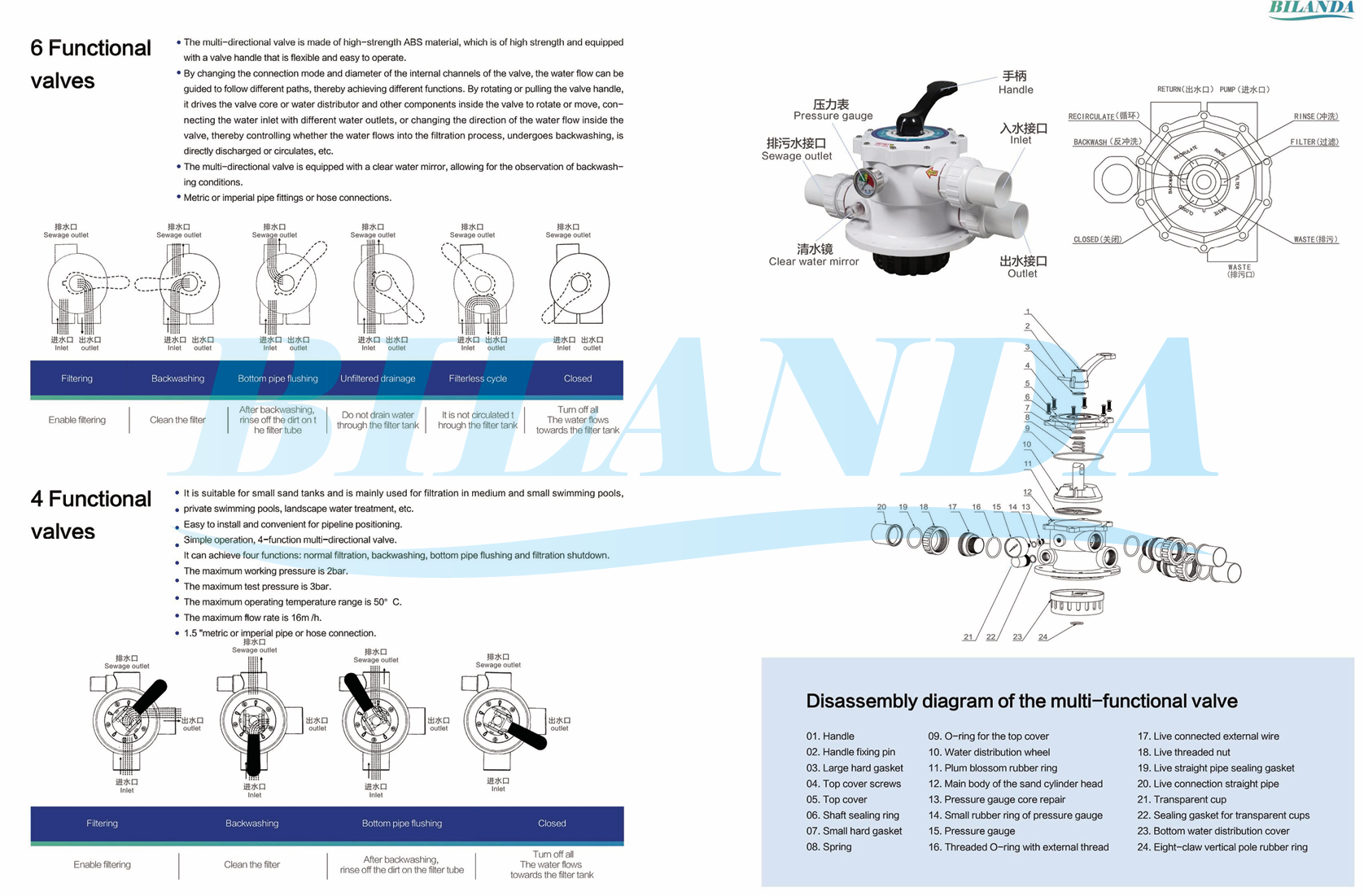
Important Operation Tips
⚠️ Always turn off the pump before moving the valve lever. Changing settings while the pump is running can damage internal seals and cause leaks.
⚠️ Always run a rinse cycle after backwash before returning to FILTER mode.
⚠️ Do not force the lever; align it fully with the setting label to avoid damaging the internal diverter.
Proper use of your multiport valve, along with regular backwashing, will extend the life of your sand media and filter, keeping your pool water clear. If you experience leaks or stiff valve operation, contact our support team for service.